

Weekly
$0.99/week
Practising this week? Go weekly. Cancel when you need a break.
Renews weekly until canceled.
Metronome for iPhoneAlso on iPad
Complex rhythms such as 9-9-9-6 and 6-6-6-7? No problem.
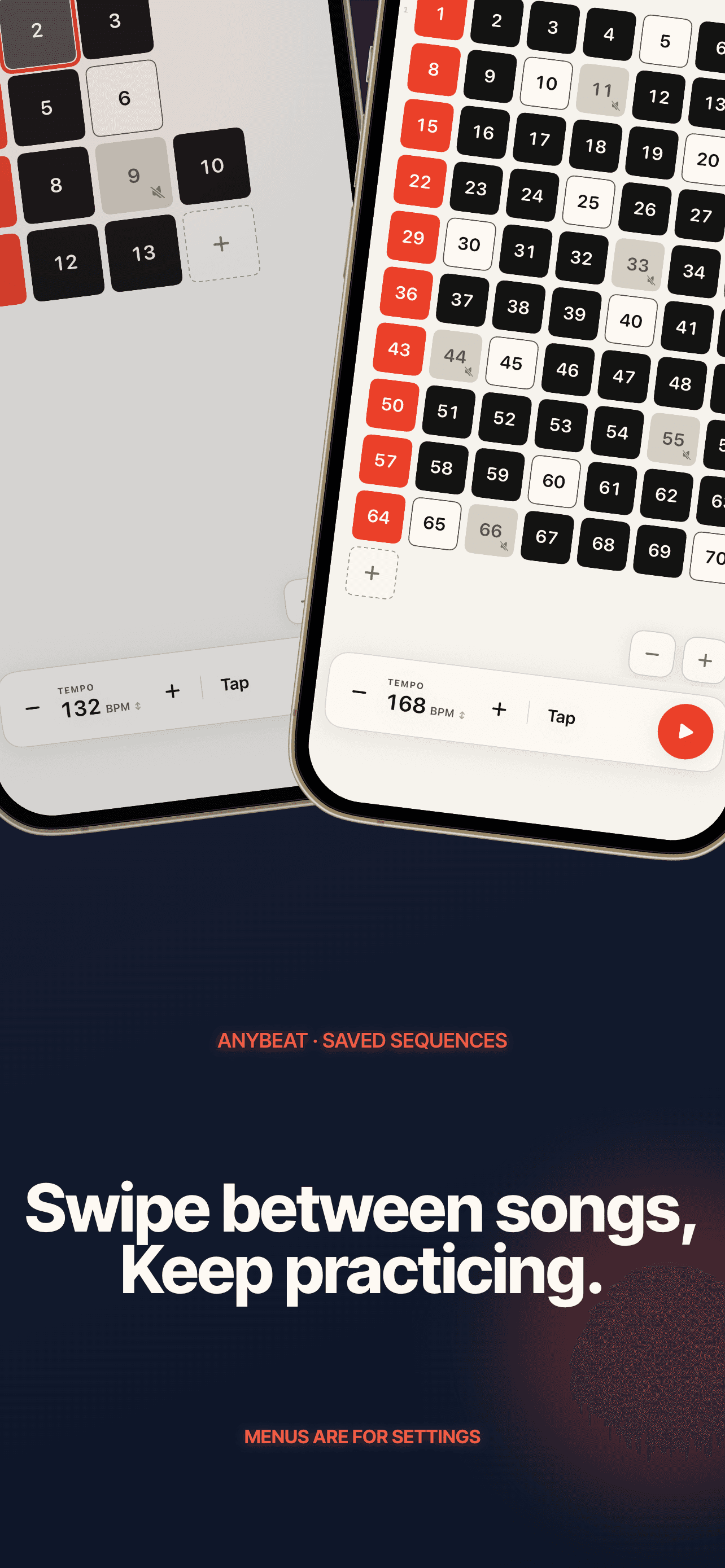
Complex rhythms are finally fun to build. Drag to add or remove beats, hold to create an accent and split a row, then swipe between songs without leaving the main screen.
This is a real metronome, running in your browser. Tap the blocks.
Why this exists
I was learning a song in 6-6-6-7 and I could not find a metronome that would just let me build it. Every app I tried had the time signatures buried in a dropdown, or the groupings locked behind a subscription, or a settings screen three levels down. So I made the one I wanted. Beats are blocks. You drag to add them and tap to accent them. Building a bar takes a few seconds.
How it works
No time-signature menus. Drag to add or remove beats, hold for an accent and phrase break, then drag to paint across several beats at once.
The same preview that runs on the App Store product page. Swipe between saved songs, drag the plus control to add beats, then paint states across the phrase. Everything you see is the app running, at real speed.
The three gestures
Tap + for one beat, or drag it up to add several at once. A single pattern holds up to 300 beats, enough for a whole song section.
Tap a beat to cycle it through beat, soft and muted. Long-press for accent. Drag across a range to change all of it at once, or hold and drag to reorder.
Drag across pulses to change a range. Shape a run of soft or muted beats without tapping each one separately.
This is the part other metronomes cannot express. 6-6-6-7 looks like four time signatures, but it is really twenty-five beats with accents on 1, 7, 13 and 19, plus lighter secondary accents on 4, 10, 16 and 22. It loops forever. Once you see it that way it stops being hard.
6-6-6-7, downbeats plus a secondary accent on beat four of each group
Read: what 6-6-6-7 actually means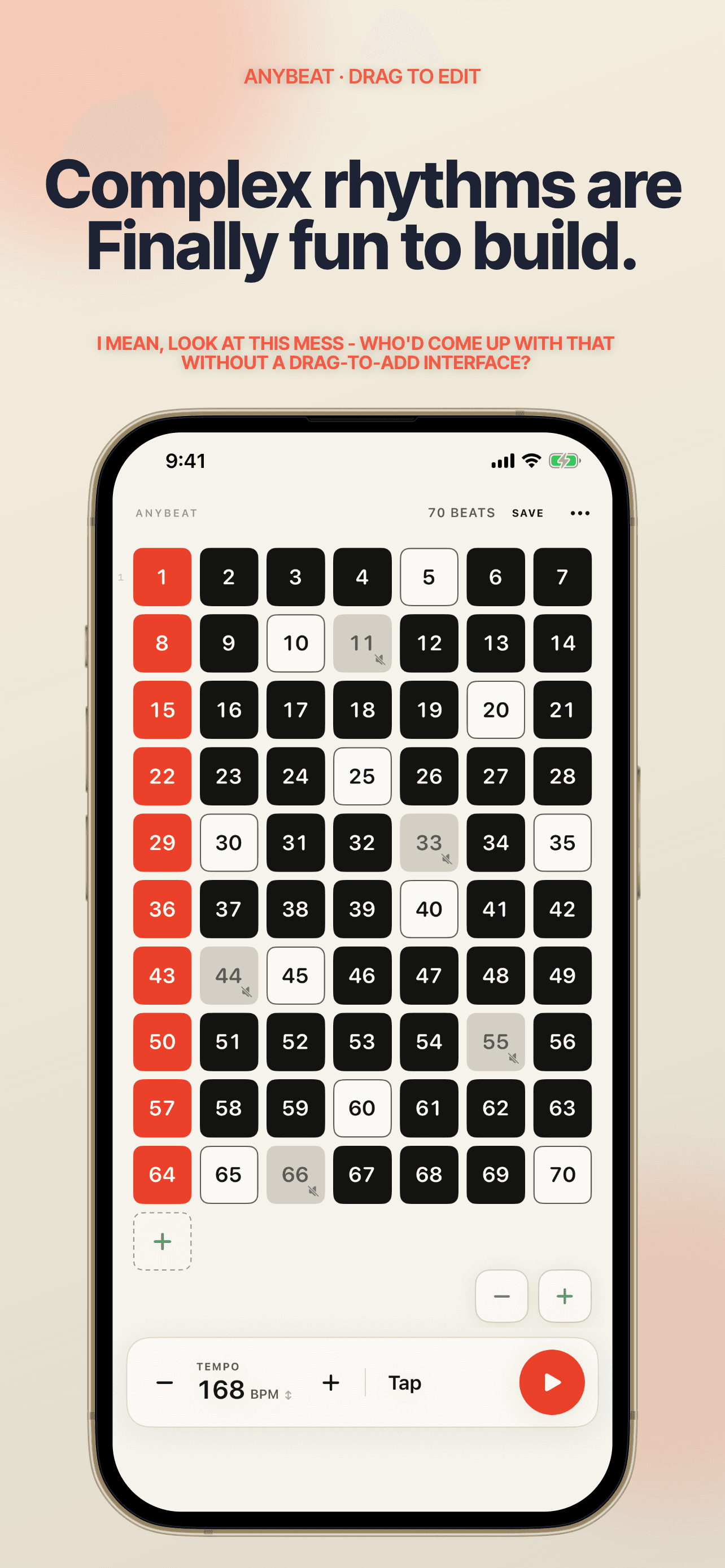
Polyrhythm · Pro
Put three pulses against two and both lines fill the same cycle. Put seven against four at one shared pulse and hear the patterns drift until they meet again.
Rhythm 1 is filled. Rhythm 2 is outlined. Tap either row to shape it, then watch both playheads split and come back together.
Hear the difference: polyrhythm vs polymeter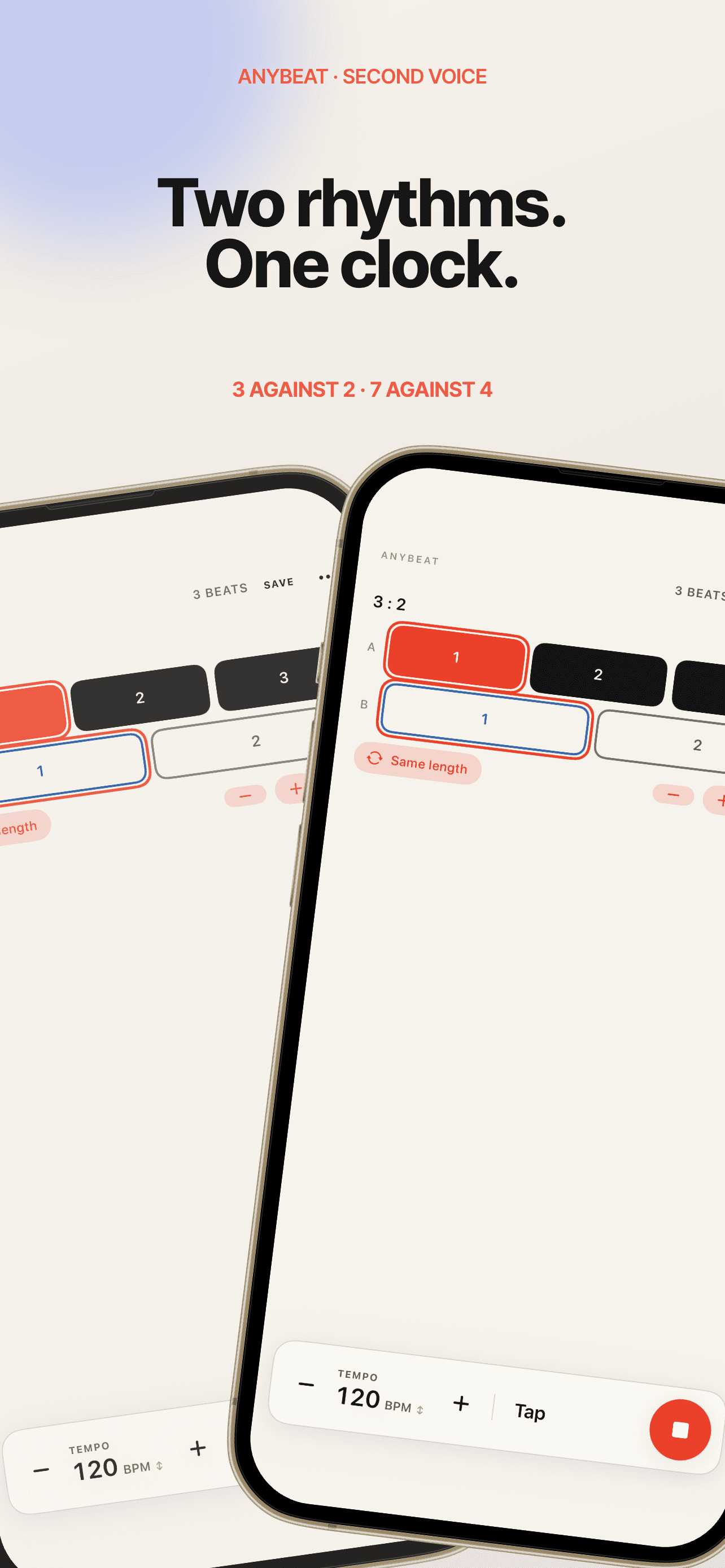
Features
One tool for building the phrase, keeping time, training your internal pulse, and sharing the exact rhythm with your bandmates.
Accent, beat, soft and muted. A muted beat still shows in the count but makes no sound, which is how you practise holding time on your own.
Write Pattern turns each number into a group and accents its first pulse. The numeric keyboard is the whole input: no notation syntax to remember.
Set every grid cell to a quarter, eighth, triplet or sixteenth note. The same pattern changes speed without changing its shape.
Break the pattern into phrases wherever you want. Long patterns wrap onto readable rows instead of one endless line.
Tap Polyrhythm beside the beat controls. Choose Same cycle for 3 against 2, or Same pulse for a 7-against-4 polymeter.
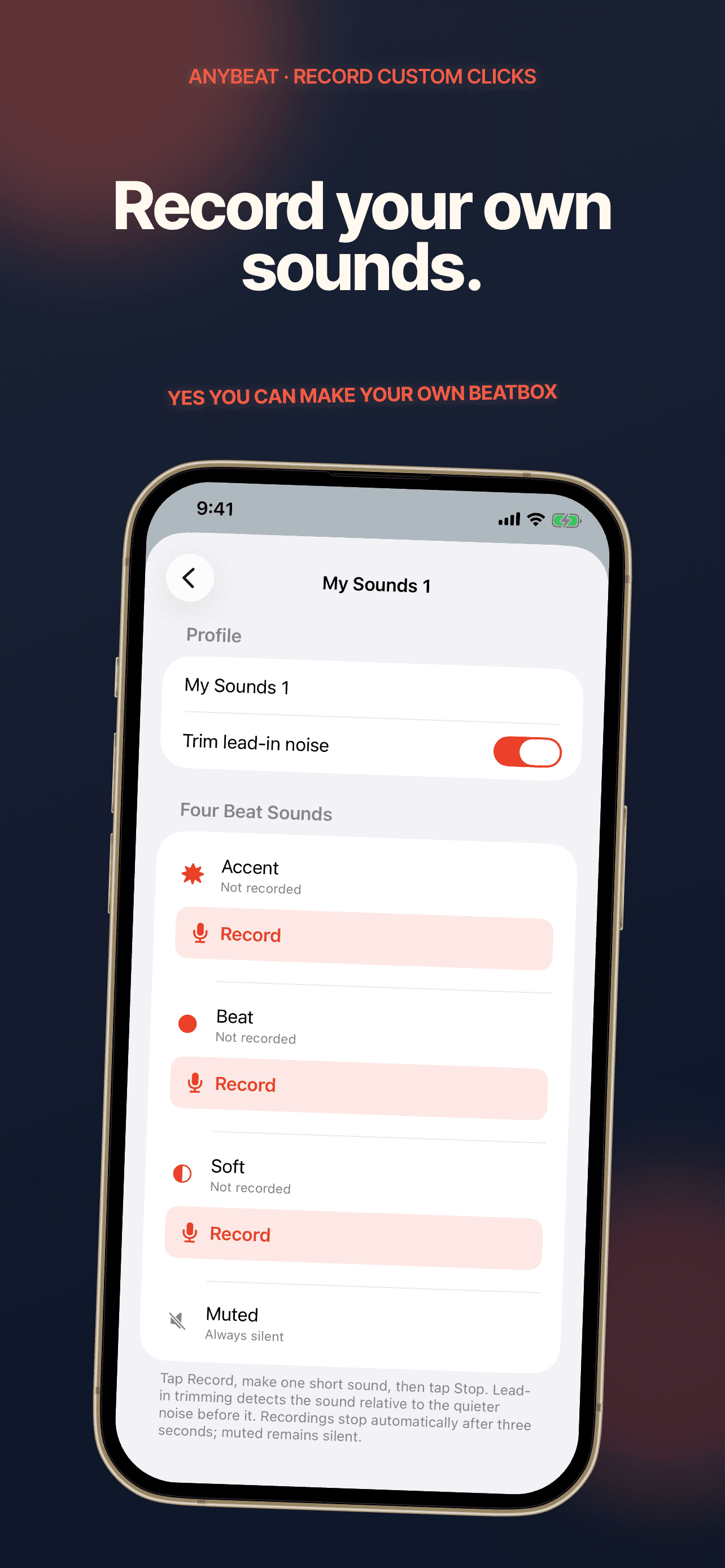
The free app includes three sound families. Pro unlocks all 9 and lets you record accent, beat and soft samples as a reusable profile.
Keep three saved patterns free. Pro removes the limit. Swipe between them on the main screen while playback continues.
Practice History is included with Pro. Tap or drag across the chart to inspect minutes per day, then switch between 7, 30 and 90 days.
Tap along with a record and the tempo follows. Or nudge one BPM at a time when you are creeping a passage up.
Tap along with a song.
Pro exports an M4A using the current pattern, pulse division, tempo, sounds and volume. Choose the loop count, then send it to anyone.
Long patterns stay readable. Pick a zoom level and it is remembered with each saved set.
Random low-intensity muting is free. Pro adds higher intensities and whole silent cycles while the visual count keeps running.
It keeps playing with the screen off, with transport controls on the Lock Screen, Live Activity and Dynamic Island.
See it move
The app in 29 seconds
Move between saved patterns, paint individual beat states and scale all the way up to a screen-filling rhythm. This is the real practice flow, from the first tap to a 13-beat phrase.
Stopped
Put an accent where each group starts and the odd meter stops fighting you. Every row is one group, so you read the shape instead of counting. It pages through saved sets by itself; tap anywhere on the phone to take control.
Read: odd time signatures explained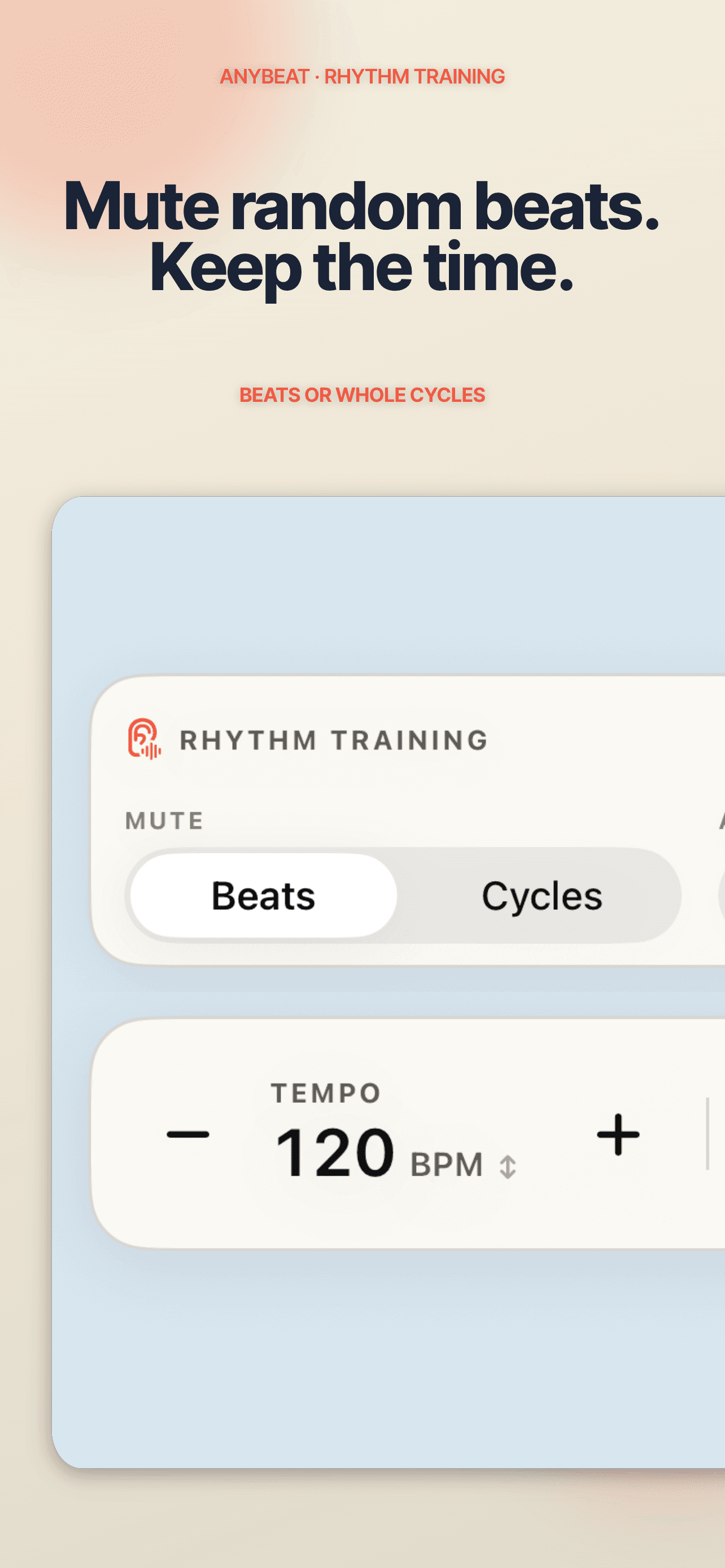
Share the beat
AnyBeat Pro exports 1 to 64 complete loops as an M4A. Send it in a message and your bandmate gets the exact pattern, pulse division, tempo and accents. Nobody else has to install anything.
Every export starts at one loop. Choose the length before AnyBeat creates a standard M4A that plays in any music or messaging app.

Clicks and more
Choose from three sound families free. Pro unlocks all nine and lets you record your own accent, beat and soft sounds. Yes, you can make your own beatbox.
Pricing
FREEto download
Some weeks you play every day. Some weeks life gets in the way. Pick what fits.
$0.99/week
Practising this week? Go weekly. Cancel when you need a break.
Renews weekly until canceled.
$39.99once
Coming back every week? Buy it once. It’s there when you are.
Less than 41 paid weeks. No recurring payment.
Same Pro either way.
Prices shown are for the U.S. App Store. Both are in-app purchases through Apple. No ads.
Download AnyBeat freeiOS 17 or later · Android version in development
Questions
Yes. That is the reason it exists. You build the whole cycle as one pattern, so a 6-6-6-7 sequence is a single 25-beat pattern with four accents that loops as one unit. You are not switching between bars.
A normal metronome asks you to pick a time signature from a list and then clicks it forever. AnyBeat has no list. A rhythm is a row of beats, and you set each one to accent, beat, soft or muted by tapping and dragging. You can build anything from 1 to 300 beats.
Yes. AnyBeat Pro exports 1 to 64 complete loops as an M4A. Send the file however you like; your bandmate gets the exact tempo and accents without installing anything.
AnyBeat is free to download. Pro gives you the same features two ways: $0.99/week or $39.99 once in the U.S. App Store. Practising for a short stretch? Go weekly and cancel when you need a break. Coming back every week? Forever costs less than 41 paid weeks. Weekly renews automatically until canceled.
Yes, with AnyBeat Pro. Tap Polyrhythm, then choose Same cycle for 3 against 2 or Same pulse for a polymeter like 7 against 4. Rhythm 1 and Rhythm 2 run from one clock, so they stay locked.
Yes, with AnyBeat Pro. Record your own accent, beat and soft samples and save them as a reusable profile. The free app includes three sound families; Pro unlocks all 9.
Yes. Playback continues with the screen off, and you can control it from the Lock Screen and the Live Activity. You can also keep the screen awake while you practise.
Android version in development. The iPhone and iPad version is available now.
20 to 600 BPM. You can nudge it one beat at a time or swipe for larger jumps, and you can change it without stopping playback.
Lessons
Count the 9/8, 8/8 and 7/8 sequence associated with Tool’s Lateralus, build a simple AnyBeat practice loop, and train it in stages.
Song lesson · JazzUse a five-click AnyBeat loop to practise the 5/4 meter in the Dave Brubeck Quartet’s Take Five, composed by Paul Desmond.
Song lesson · Classical pianoHear the four-against-three relationship in Chopin’s Fantaisie-Impromptu, then build a simple two-voice AnyBeat exercise before returning to the score.
Song lesson · Progressive metalPractise an 8 + 7 + 6 contraction identified in The Dance of Eternity, using an original AnyBeat counting loop.